

tech tip
-
Tech Tip: Hibernate instead of shutting down for productivity boost
Shutting down your computer instead of keeping it running 24/7 can help save you on energy costs but also means you have to start from scratch every time you reboot.
-
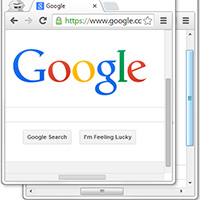
Tech Tip: Get back arrows in Google Chrome scrollbar
Google recently updated the Chrome browser on Windows to have a unified look with its Chrome OS. In doing so the scrollbars of the browser were made thinner and the arrows at the top and bottom of the scrollbar were removed.
-

Tech Tip: Online Stopwatch
The Online Stopwatch is a web based stopwatch that runs in your browser. You can use it at regular size or in full screen mode and use it either as a timer which counts up or as a timer which counts down from a specific time.
-

Tech Tip: Separate browsers for separate identities
If you stay logged in to Facebook or other websites on your computer, tablet or mobile device it might be a pain to let someone else use it without risking exposing or losing all your personal settings.
-
Tech Tip: Clean keyboards and fans with compressed air
If your keyboard or your computer fan has accumulated dust in hard to reach areas a can of compressed air can help you clean it.
-
Tech Tip: How to find your IP address
There are many ways of finding your IP address on either Windows or Mac
-
Tech Tip: Browse in full screen [Windows]
If you are using a web browser on Windows you can make the browser window take up the full screen by pressing the F11 key.
-
Tech Tip: Get Things Done with Wunderlist
Wunderlist is an attractive to-do list service that is accessible both via the web and through mobile apps.
-
Tech Tip: Pin frequently used browser tabs
If you use Mozilla Firefox or Google Chrome you can pin frequently used browser tabs to the tab bar to save space and for easy access and to save screen space.
-
Tech Tip: Reset Firefox
Firefox is a great web browser but sometimes things go wrong and you may want to reset your web browser to its original state