

firefox
-

Tech Tip: Rename Browser Tab Title
We expect websites to provide useful titles that are descriptive and add context to our web browsing activities. To be fair, many do. However, the more tabs you have open the less real estate you have for titles. If the company name precedes the page title the problem is even worse. There are also times when you simply want to customize the text displayed on your tab.
-

Tech Tip: Make video calls through Firefox
There is an interesting new feature in the latest versions of Firefox that allows you to make video calls without installing any additional software.
-
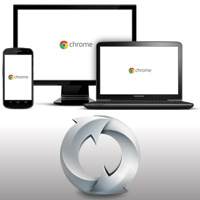
Tech Tip: Synchronize browsers on multiple devices
It’s great to be able to browse the internet from your mobile phone but there may be some bookmarks on your desktop or laptop computer that you need.
-
Tech Tip: Pin frequently used browser tabs
If you use Mozilla Firefox or Google Chrome you can pin frequently used browser tabs to the tab bar to save space and for easy access and to save screen space.
-
Tech Tip: Group Tabs in Firefox
Firefox Tab Groups is a great feature for anyone who uses the Firefox browser and keeps many tabs open.
-
Tech Tip: Reset Firefox
Firefox is a great web browser but sometimes things go wrong and you may want to reset your web browser to its original state
-
Tech Tip: Sync bookmarks across browsers and computers
Bookmarks, also known as favorites, are links to sites that you save when you browse the web. These links are useful for future reference since they save you the trouble of remembering and typing website addresses over and over again. The problem with bookmarks is that they are specific to the web browser and the computer you save them on. You can, however, take additional steps to ensure the bookmarks you save on one of your computers is available on others.