

windows
-

Tech Tip: Using Parental Controls in Windows
Not all content is appropriate for children and Windows provides a built in way for parents to restrict children’s access to the computer Parental Controls.
-

Tech Tip: Monitor System Resources
It’s useful to find out what is using up your computer’s system resources out of curiosity or when you are troubleshooting a problem. This can reveal the programs that are memory hogs or indicate when a hardware upgrade may be necessary.
-
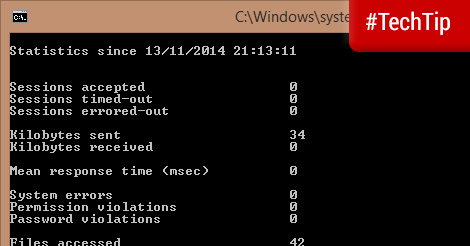
Tech Tip: Check when you last restarted Windows
If you keep your PC on for long periods or make it hibernate instead of shut down you may lose track of when last you restarted Windows.
-

Tech Tip: Control PC volume by application
Multitasking is great and it is pretty easy to navigate between different programs on Windows. Multiple sounds, however, can be very annoying when they come from different programs.
-

Tech Tip: Bootable Linux on a USB drive
Linux is a free and open source operating system that can be used together with or in lieu of the other more popular operating systems.
-

Tech Tip: Shut down your PC periodically to install updates
We know that there are benefits of hibernating your computer instead of shutting down, but shutting down periodically does have its benefits. Many critical Windows updates require you to restart your computer so that system files that are currently in use can be updated.
-
Tech Tip: Update Windows programs with FileHippo Update Checker
If you would like to update your Windows programs manually but want to easily see which programs are outdated you can try FileHippo’s Update Checker.
-
Dual Booting Problem Resolved
A couple months ago I wrote about how Windows wouldn’t boot but linux would. Back then I said I was waiting for Ubuntu 8.04 to be released before I tackled the problem and now I believe I have a better understanding of what happened and how to resolve similar problems in the future. The Problem When installing Ubuntu Linux I installed GRUB (a linux bootloader) to the Master Boot Record (MBR). This was not a problem since you can use GRUB to start Windows without a problem. The problem was however that my PC came with a restore partition which…