

browser
-

Tech Tip: Try out Vivaldi web browser
Vivaldi web browser is a great alternative to other more popular browsers. Based off the open source Chromium this browser focuse on being a browser that empowers its users.
-

Tech Tip: Rename Browser Tab Title
We expect websites to provide useful titles that are descriptive and add context to our web browsing activities. To be fair, many do. However, the more tabs you have open the less real estate you have for titles. If the company name precedes the page title the problem is even worse. There are also times when you simply want to customize the text displayed on your tab.
-

Tech Tip: Change your Google Chrome theme
You can change your Google Chrome theme to customize the way that the browser looks for a more personalized browsing experience.
-

Tech Tip: View and control plugins in Google Chrome
As useful as our browsers are in giving us access to content on the internet they are not as useful without plugins. Some websites will not function properly, or have limited functionality, without specific plugins installed.
-
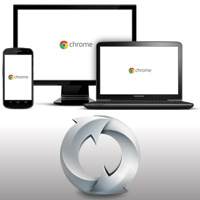
Tech Tip: Synchronize browsers on multiple devices
It’s great to be able to browse the internet from your mobile phone but there may be some bookmarks on your desktop or laptop computer that you need.
-
Tech Tip: Reading RSS Feeds Using Prism
I subscribe to a lot of RSS feeds that are frequently updated. To read these I use a web reader (Google Reader) but I prefer to keep my RSS feeds separate from the many websites I usually have open. My email client (Mozilla Thunderbird) supports RSS feeds but it would have to remain open all the time to check for new items or else it would miss some. Futhermore unlike email, there is no IMAP for RSS feeds so there would be duplication when I use Thunderbird on one computer and then another – read items may just be downloaded…